Centwise, Windows Phone 7.5, Splittr Updates

Awesome Centwise feature – in app calcualtor.

To Splitwise fans using Windows Phone 7.5 or 8, the last few weeks have been really exciting. Personally, I got so excited I purchased a Lumia 620 off of eBay just so I could keep up with these two new 3rd party releases. It won’t be my primary phone, but the Metro UI is very nice.

A few days ago, Centwise (created by Kamran Ayub) released its first version for both Windows Phone 7.5 and Windows Phone 8, making it the first third party app for long-time Windows Phone 7 fans! It’s a full featured app, with group support, simple IOUs, and lots of bells and whistles. Kamran is charging $1.29 to support his efforts, but it does have a free trial and a couple unique features I really like – including the sweet calculator-within-the-add bill flow pictured at right. Check out the full Centwise feature set here.

Miron adds groups to Splittr – with pics!

Miron has been keeping the awesome updates coming at free Splittr. The 1.1 release, which hit the app store yesterday, adds totally full-featured group support, so you can see all the expenses associated with a group, group balances, and repayment instructions. One neat idea is the ability to directly pin a group shortcut to the home screen. What a cool feature – I wish I had that on Android. I’m told a Windows Phone 7.5 version is submitted to the review queue as well. As of March 26th, Splittr now also supports Windows Phone 7.5, so all Windows Phone users should have two choices – a free and a paid app. Joy of joys!

Want Splitwise on Blackberry, Symbian, your toaster? Email developers@splitwise.com and we’d love to give you early API access. Personally, I can’t wait until we have an Arduino that creates Splitwise IOUs for the office coffee jar. 🙂
A Windows Phone 8 Client, At Long Last

splittr shot 1
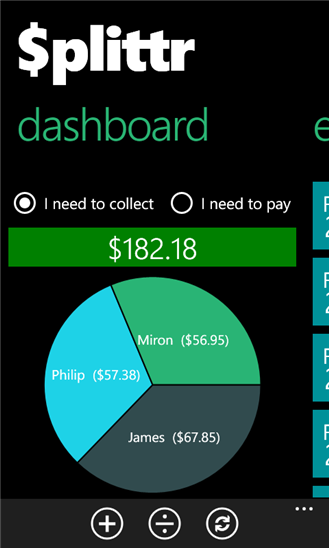
Splittr lets you access Splitwise on Windows Phone 8.

We are so excited to announce that Miron Vranjes has developed the first Windows Phone 8 client for Splitwise, called Splittr. It’s free and awesome, so if you use Windows Phone 8, go grab it now!

For over a year, users have asked us “when are you going to support Windows Phone?” Miron stepped up and did it himself, using our open API. Splittr is a 3rd party app not developed by us, but it works with your existing Splitwise account and everything should more or less work with Splitwise as normal once you sign-in with Splitwise (just like a “Login With Facebook”). We like the UI he designed – it’s a very “Metro” look.

A few other notes:

  • Miron tells us a Windows Phone 7 version will also be out soon. For now, this is just for Windows Phone 8.
  • It has a tax/tip functionality that we don’t have yet – cool!
  • This is actually the 1.0.9 version. After a small update, the app now supports supports groups as well as friendships.
  • Users who have multiple groups will notice a missing feature – you will not be able to sort expenses/balances by that specific group, as you can in the website or native Splitwise apps. However, Splittr will tell you the group when you view a specific expense, and will let you select a group when you add one.

Continue reading A Windows Phone 8 Client, At Long Last

New “Divide A Bill” For The Web App

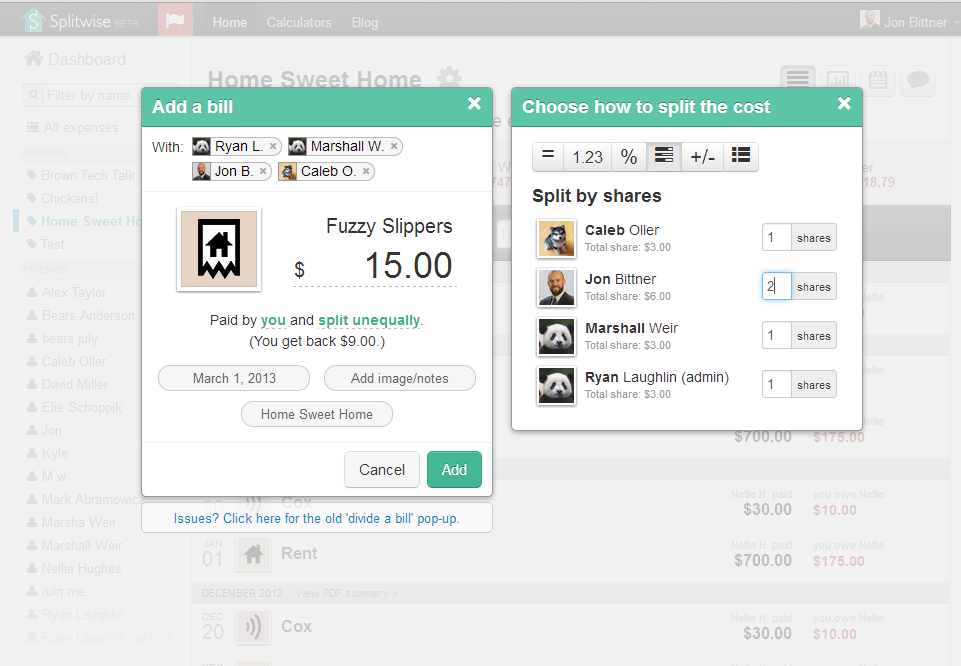
We’ve been dying to improve our “Divide A Bill” dialog box for months, and a preliminary version is finally ready! Take a look below, and please give us feedback or suggestions in the comments. We’ve been rolling it out slowly over the past few days, and all users will have it by early next week.

Now with auto-complete, and the ability to change the involved parties without clearing out data.

The form has been completely redesigned from scratch, with two killer new features.

  • You can add people into the “With’ field just like an email – without tons of clicking. SO much easier, and much more like the iPhone and Android apps.
  • Adding new people will automatically add them into the expense without clearing your existing data (a big complaint in the old version).

Continue reading New “Divide A Bill” For The Web App